
Click 'Contacts' in the upper navigation
Click 'Contacts Manager'
On the bottom left, click on 'Restore Contacts'
Click the checkbox for the Contact(s) you want to restore
Click 'Restore'
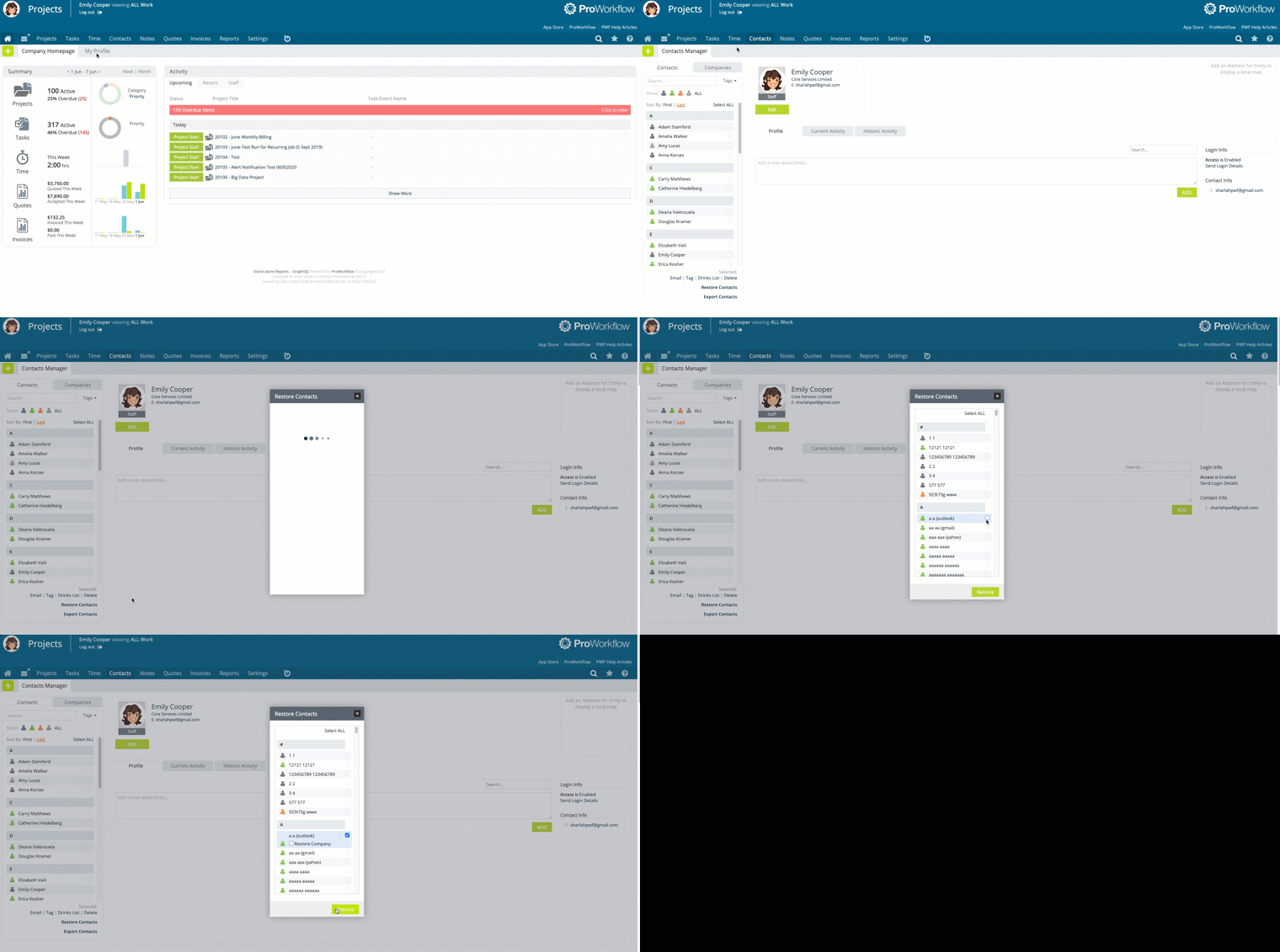
Click 'Contacts' in the upper navigation
Click 'Contacts Manager'
On the bottom left, click on 'Restore Contacts'
Click the checkbox for the Contact(s) you want to restore
Click 'Restore'
Was this article helpful?