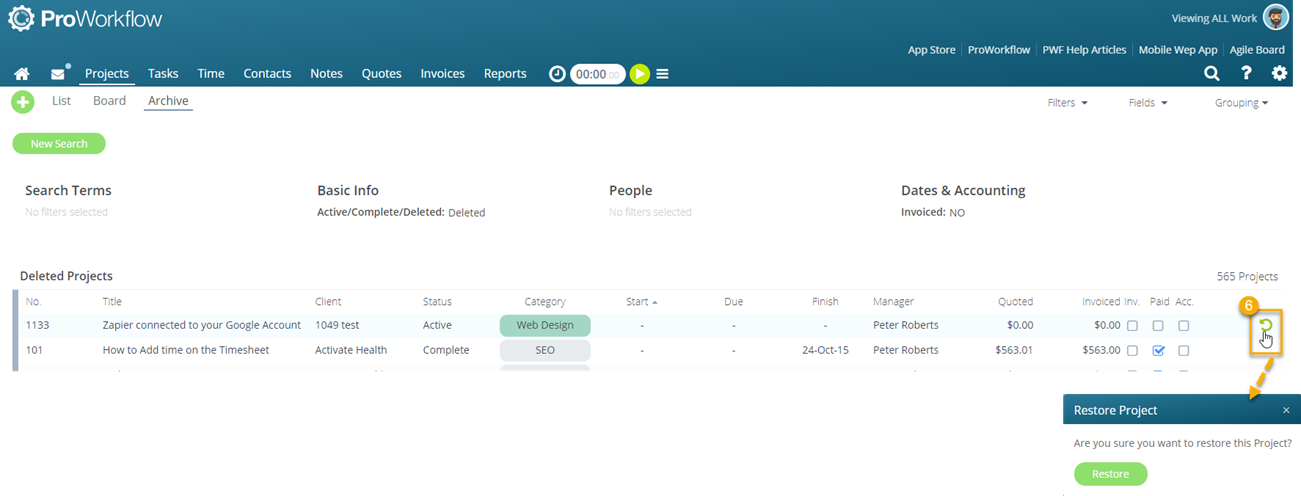
To restore a deleted project, you need to go to Project Archive.
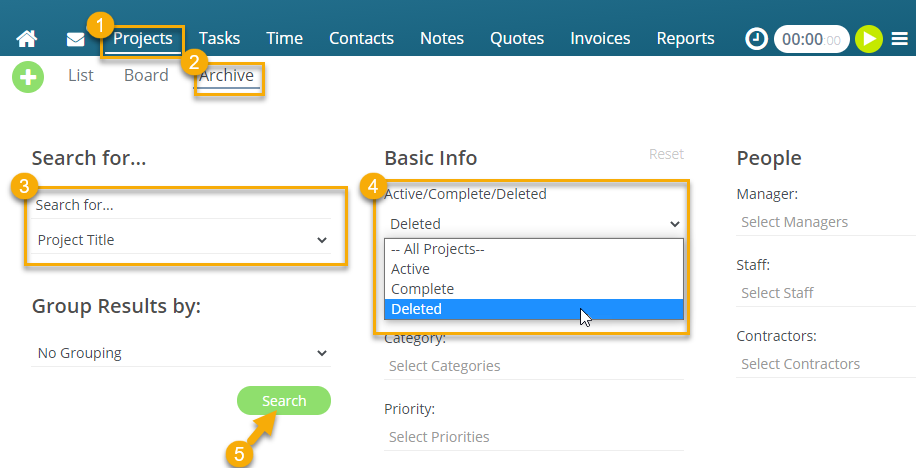
1. Go to the Projects tab
2. Then go to Project Archive
3. Enter the Project Number or Title of the project you need to restore if possible.
4. In the Active/Complete/Deleted drop-down option, select Deleted.
5. Click Search
6. Once you've find the Project, hover over the right and click on the restore icon.