
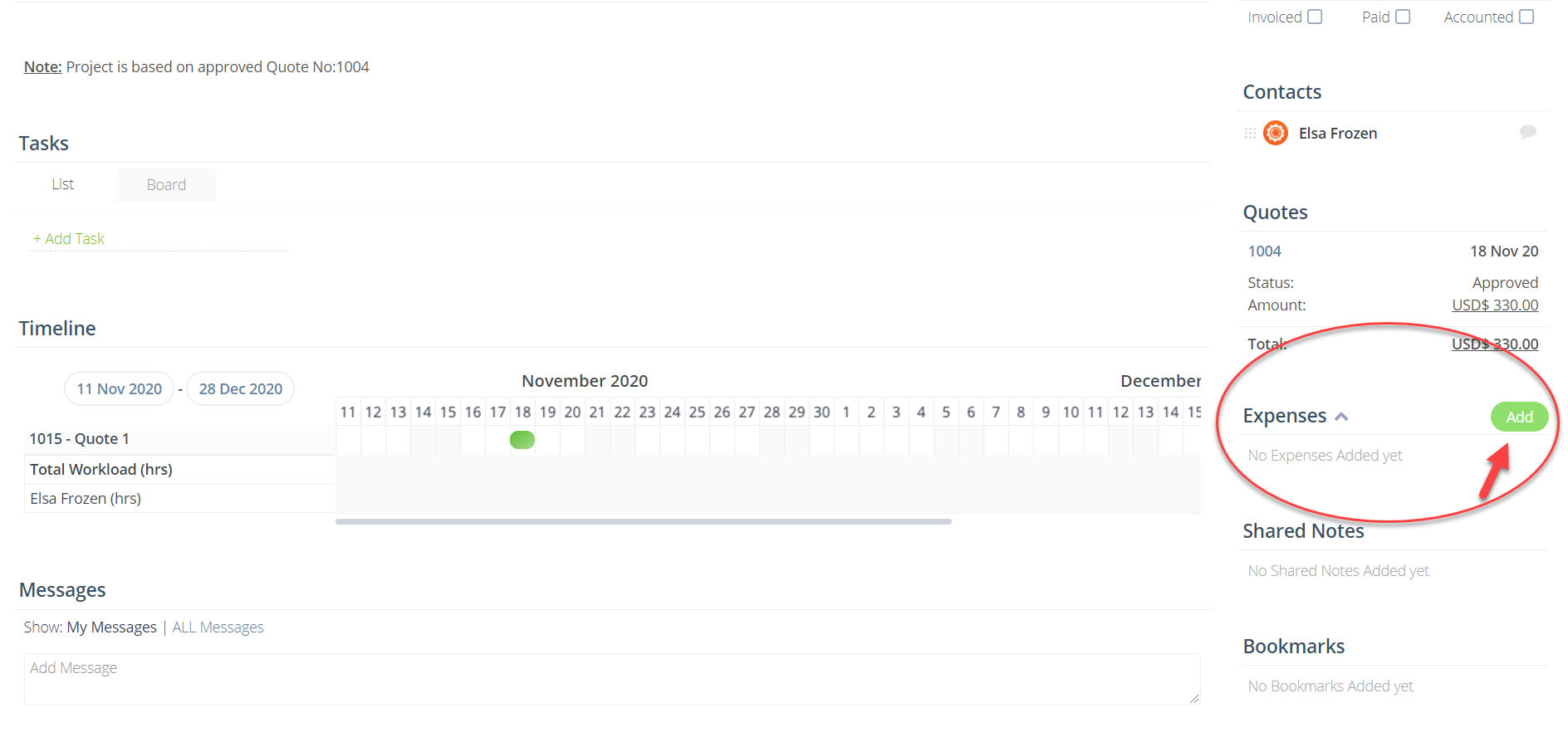
In order to add Expenses to your Project, open Project Details Page and on the right-hand panel navigate on the Expenses box and Add an Expense:
Then you will need just to enter the Title, Description, Cost and other information:
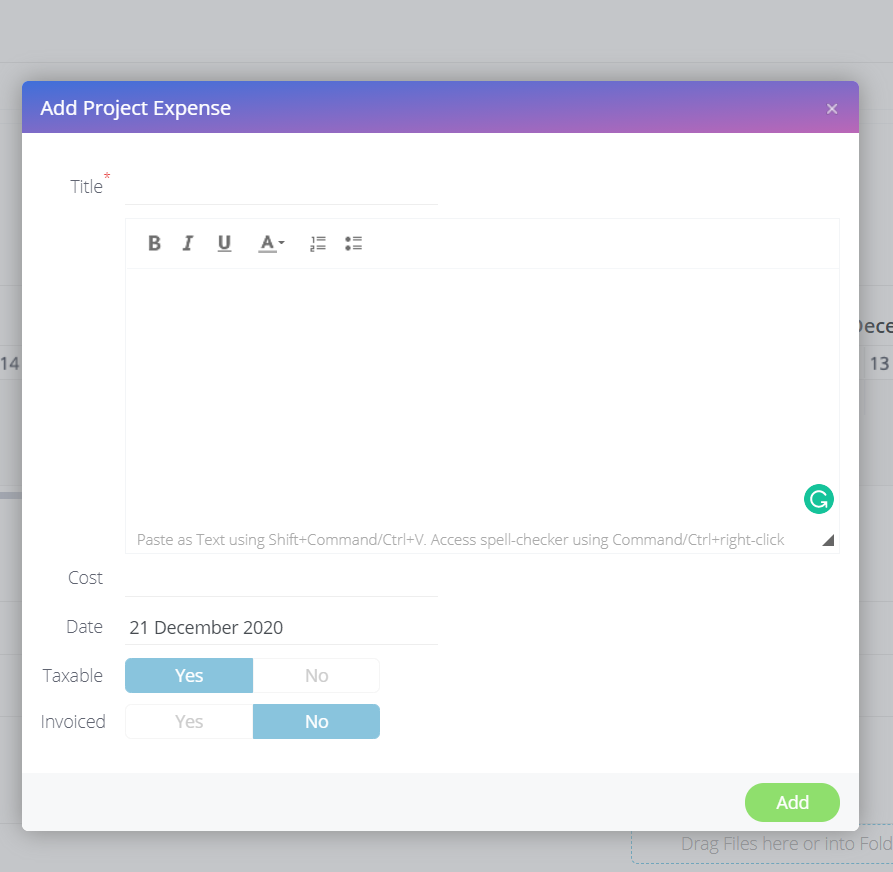
Remember, whenever an Expense is created, it will be included in the next Invoice that is created. If you'd like the Expense to not be added into your invoice, simply toggle the Invoiced option to 'Yes'.