If you want to turn off email notifications about project updates, task updates etc for yourself, then you can turn it off via My Profile.
Click your name at the top of the page
Click 'On' or 'Off' next to 'Notifications'
Click 'Done!'
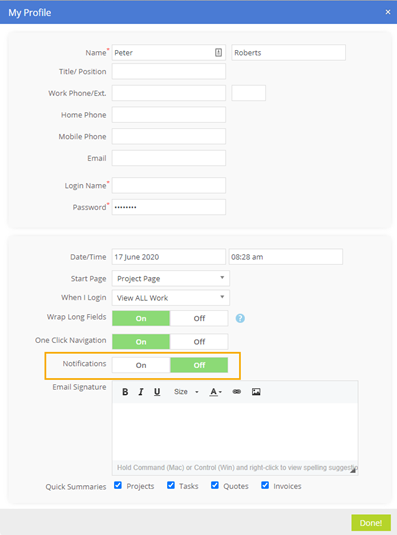
Please note, if you turn off notifications, this will also turn off in-app notifications you receive. This does not affect the messages notifications.