
This is where you define default settings and recipient contact person when a client submits a Project Request.
Go to Settings tab
Click Project Requests from left navigation.
Adjust the default values/options.
Click 'Update' button.
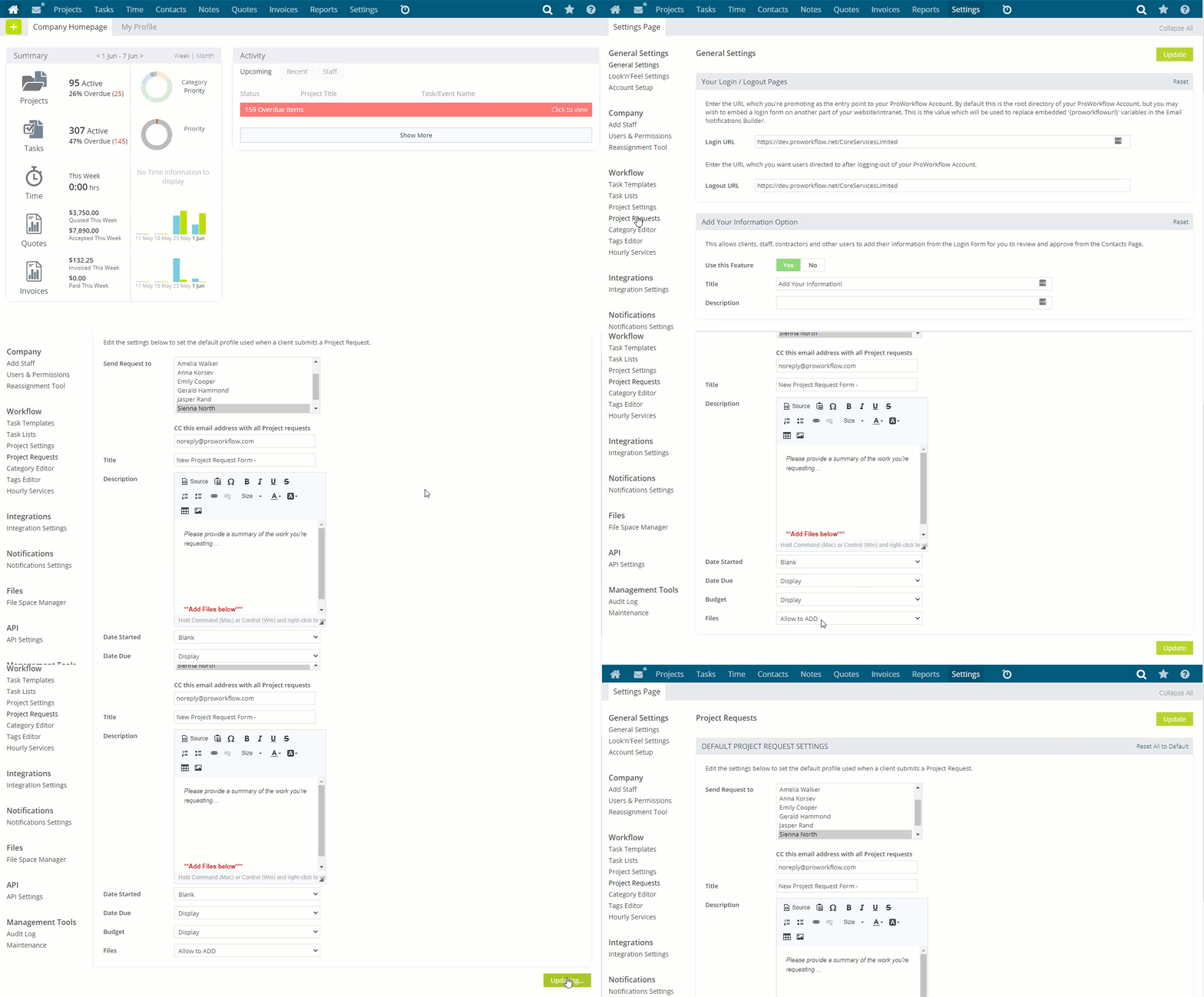
This is where you define default settings and recipient contact person when a client submits a Project Request.
Go to Settings tab
Click Project Requests from left navigation.
Adjust the default values/options.
Click 'Update' button.
Was this article helpful?